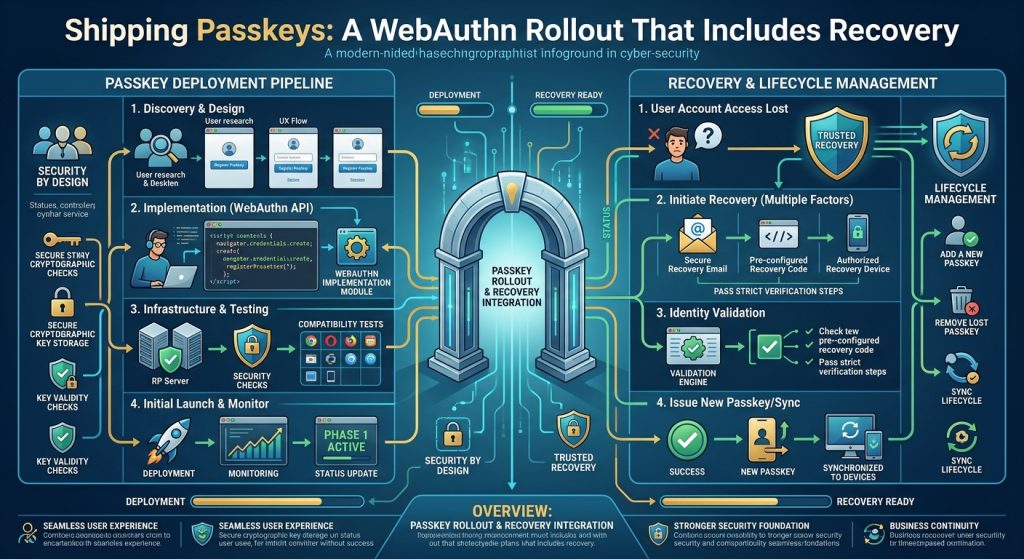

Adding a passkey button is a small interface change with consequences throughout an account system. For developers maintaining a customer portal or internal web application, the reward is authentication that does not ask people to enter a reusable password. The implementation succeeds when enrollment, verification, credential management, and recovery work together.
Understand what the server actually receives
A passkey uses public-key cryptography. Your service stores a public key and credential metadata; the authenticator proves possession of the corresponding private key. A fingerprint or face scan may unlock the authenticator locally, but your website does not receive that biometric. Providers may synchronize passkeys, while other credentials remain bound to a device. The FIDO Alliance’s passkey guidance explains these choices.
WebAuthn supplies the browser API for creating credentials and requesting assertions. Its core ceremonies are established standards. Newer convenience features and their browser availability continue to evolve. Keep the initial rollout centered on explicit enrollment and sign-in, then add optional capabilities through feature detection.
Decide the account rules first
Imagine a consulting firm’s client portal. Customers already have accounts and download confidential project material. Let a recently authenticated customer add a passkey in account settings. Provide a credential list with recognizable labels and removal controls. An attacker with a briefly unattended session should not silently establish permanent access.
Prerequisites include HTTPS, a stable domain strategy, server-side sessions, durable credential storage, and a maintained WebAuthn verification library. Localhost is useful for development, but production origin checks must be explicit. Choose the relying-party ID carefully before launch; it determines credential scope and constrains later domain changes.
- Create registration options on the server for the authenticated account. Generate a fresh unpredictable challenge and associate it with that session, purpose, and expiry.
- Request a discoverable credential for a passkey-oriented flow. Set user verification according to your policy, and normally avoid requesting attestation unless you have a concrete device trust requirement.
- Send the browser response back for verification. Store the verified credential ID, public key, counter, and relevant metadata under the account.
- For sign-in, issue a new challenge and verify the returned assertion before creating an authenticated session. Resolve the credential to its account on the server.
The browser is one part of enrollment
Install @simplewebauthn/browser in your frontend and use a compatible server package. The currently documented server release requires Node.js 22 or later. This function belongs behind an enrollment button; its two application endpoints must already implement the server steps:
import { startRegistration } from '@simplewebauthn/browser';

async function enrollPasskey(csrfToken) {
  const headers = { 'X-CSRF-Token': csrfToken };
  const optionsResponse = await fetch('/passkeys/options', {
    method: 'POST', headers
  });
  if (!optionsResponse.ok) throw new Error('Cannot start enrollment');

  const optionsJSON = await optionsResponse.json();
  const response = await startRegistration({ optionsJSON });
  const result = await fetch('/passkeys/verify', {
    method: 'POST',
    headers: { ...headers, 'Content-Type': 'application/json' },
    body: JSON.stringify(response)
  });
  if (!result.ok) throw new Error('Enrollment rejected');
  const status = await result.json();
  if (!status.verified) throw new Error('Credential not verified');
}
Use a server-issued CSRF token and same-origin endpoints. Show cancellation and network errors as recoverable states, and prevent duplicate submissions. The library’s browser documentation covers serialization and the options wrapper used here.
Make verification and recovery equally deliberate
The server must validate the challenge, expected origin, relying-party ID, signature, and required user verification. Expire and consume challenges so successful responses cannot be replayed. Reject unknown or revoked credentials. Follow the server library guidance for credential data and counter handling; synchronized credentials mean counters need informed interpretation.
Passkeys resist phishing through credential scoping, but they do not repair session theft, injected scripts, or weak account recovery. A support agent who removes authentication after an easily guessed question can undo the benefit. Design recovery with suitable identity checks, notifications, and revocation. Encourage a second credential where practical.
Synced passkeys improve convenience across devices while adding dependence on a provider’s account recovery and synchronization policies. Hardware authenticators introduce purchasing, replacement, and support work. Neither choice eliminates the operational cost of account lifecycle management. Offer options that fit the audience instead of assuming everyone owns the same device.
Release with evidence
Test expired challenges, wrong origins, missing user verification, duplicate enrollment, credential removal, and canceled prompts. Include real mobile and desktop combinations, plus a lost-device exercise. The W3C WebAuthn specification is the primary reference for verification requirements.
Credential management also needs clear user-facing language. Removing a passkey from your service revokes its server-side acceptance; it may still appear in a provider’s credential list until that provider updates it. Explain the difference, and verify that removal immediately prevents authentication to the account even if the client retains its copy.
Roll out to a small group, track completion and recovery failures without logging credential responses, and revise support instructions. Expand enrollment once customers can both sign in and regain legitimate access predictably.