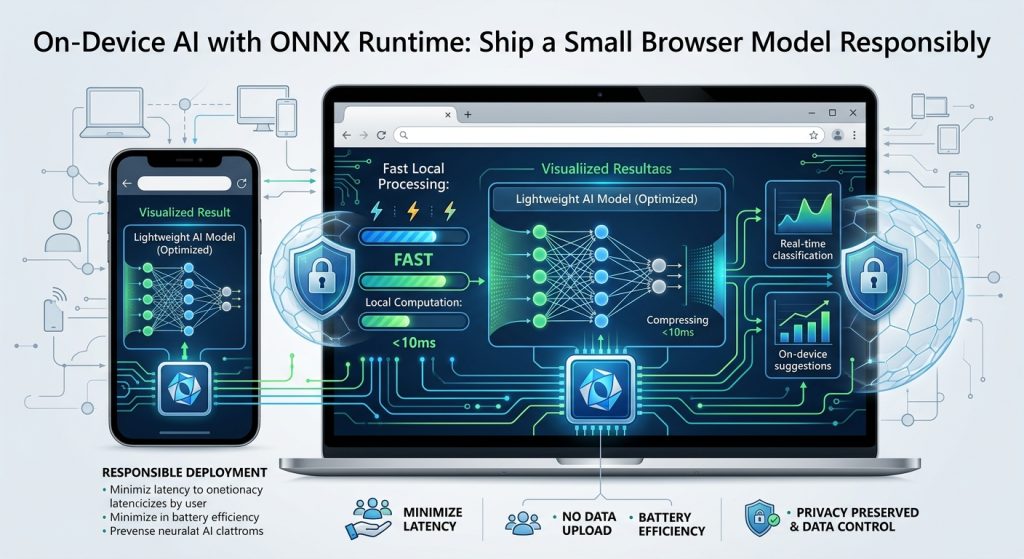

A field worker photographs an equipment label in a location with unreliable connectivity. A small local model could help classify the image before any upload occurs. On-device inference is useful when responsiveness, offline operation, or keeping inputs local matters more than accessing a large remote model.
This guide is for web developers and product engineers evaluating that tradeoff. It uses ONNX Runtime Web, with no hosted AI API required. The aim is a narrow, measurable feature whose model, preprocessing, and fallback behavior you understand.
Understand the pieces you are shipping
ONNX describes a model’s computation graph and associated data. ONNX Runtime executes supported models using an execution provider appropriate to the environment. It does not automatically train a useful model, supply accurate labels, or make arbitrary exports compatible with every device.
The official web application guide distinguishes browser inference from server inference. For browser execution, the runtime and model reach the client and computation happens there. You still need hosting for initial delivery unless assets are already installed or cached.
ONNX Runtime and its WebAssembly browser path are established tools. The Web quickstart labels its WebGPU and WebNN support as experimental. Check current runtime documentation, operator coverage, and browser support before adopting either. Hardware acceleration is a candidate to measure, not a guarantee of improvement.
Write the model contract first
Before touching the interface, obtain a model you have permission to distribute. Document its intended use, input names, tensor shapes, numeric types, preprocessing, output interpretation, and supported ONNX opset. Keep a few known input-output cases from the original implementation for comparison.
For an image classifier, this contract may specify resizing, channel order, normalization, and the mapping from output positions to labels. A tensor with the correct dimensions can still produce misleading results if those transformations are wrong.
Concrete prerequisites
- A JavaScript web project with a bundler and a local development server.
- A tested ONNX model, its license, and a representative evaluation dataset.
- A pinned onnxruntime-web release and the matching runtime assets required by its bundling setup.
- At least one modest target device, alongside your development machine.
- A manual workflow for unsupported devices and uncertain predictions.
A deliberately small inference example
Install onnxruntime-web with your package manager and retain the resolved version in your lockfile. The following browser-module example assumes an existing model served at /models/four-feature.onnx. Its contract is exactly one float32 input with shape [1, 4]. The four numbers are synthetic test features, not a trained classifier or a meaningful real prediction.
import * as ort from 'onnxruntime-web';

ort.env.wasm.numThreads = 1;

async function runExample() {
  const session = await ort.InferenceSession.create(
    '/models/four-feature.onnx',
    { executionProviders: ['wasm'] }
  );
  try {
    if (session.inputNames.length !== 1) {
      throw new Error('Expected one model input');
    }
    const input = new ort.Tensor(
      'float32',
      new Float32Array([0.2, 0.4, 0.6, 0.8]),
      [1, 4]
    );
    const outputs = await session.run({
      [session.inputNames[0]]: input
    });
    console.log(outputs[session.outputNames[0]].data);
  } finally {
    await session.release();
  }
}

runExample().catch(console.error);
The model file is a prerequisite, not generated by this snippet. The InferenceSession API reference documents input names, execution, and resource release. Configure runtime asset delivery according to your bundler and the environment and session options guide. JavaScript and WebAssembly assets must come from compatible builds. Single-threaded execution keeps this baseline independent of multithreading setup; production tuning comes later.
Turn a working call into a usable feature
- Compare outputs against known reference cases before connecting real user input.
- Implement the documented preprocessing and output interpretation, including label mapping and any required decision threshold.
- Load and reuse a session across requests rather than recreating it for every interaction. Release it when the feature no longer needs it.
- Measure model download, session initialization, preprocessing, inference, and rendering separately.
- Test representative devices, repeated use, failed downloads, and an offline reload if offline support is promised.
For the equipment-label scenario, offer a suggested category and an obvious correction control. Store the user’s choice as the operational decision. Include poor lighting and damaged labels in evaluation; a convincing demonstration on clean images is not evidence of field reliability.
Local inference changes costs and risks
Client execution shifts work toward model delivery, device CPU or GPU use, memory, battery consumption, and compatibility support. It can reduce server inference work, but does not make the overall feature free. Large downloads or slow startup can outweigh a fast repeated inference call.
Quantization can reduce numerical precision and model size, with performance and accuracy effects that depend on the model and hardware. Re-evaluate task accuracy after conversion instead of assuming smaller means equally useful.
Inputs remain local only if the rest of your application preserves that property. Audit analytics, logs, crash reports, and optional upload paths. A downloaded model is also available to the client; do not depend on browser delivery to keep its weights secret.
Next, define acceptance limits for accuracy, download size, startup time, and device responsiveness. Ship the smallest model that meets those requirements, with versioned assets and a tested recovery path.